The cash is gone.
The tip shouldn't be.
QuickTip finds the service worker standing in front of you and sends them money in seconds. No cash. No QR hunt. No usernames.
Three taps, start to sent.
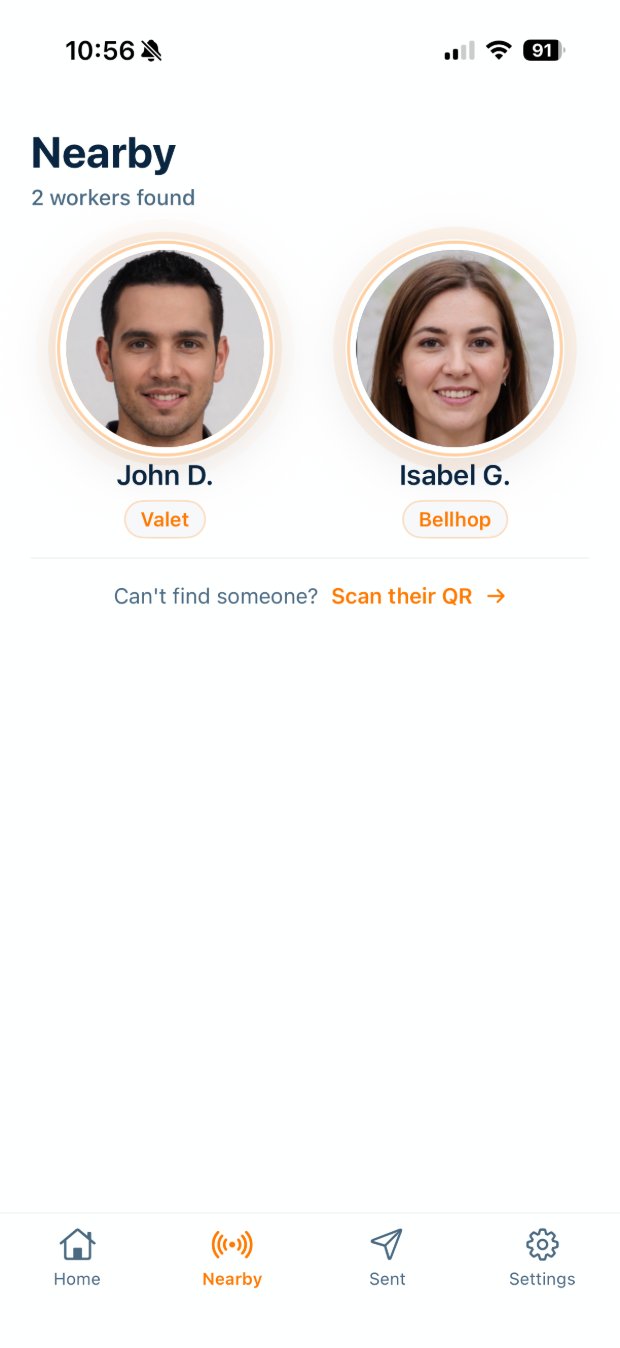
Open the app
Bluetooth Low Energy finds the workers around you. They appear on their own — nothing to scan, nobody to search for.
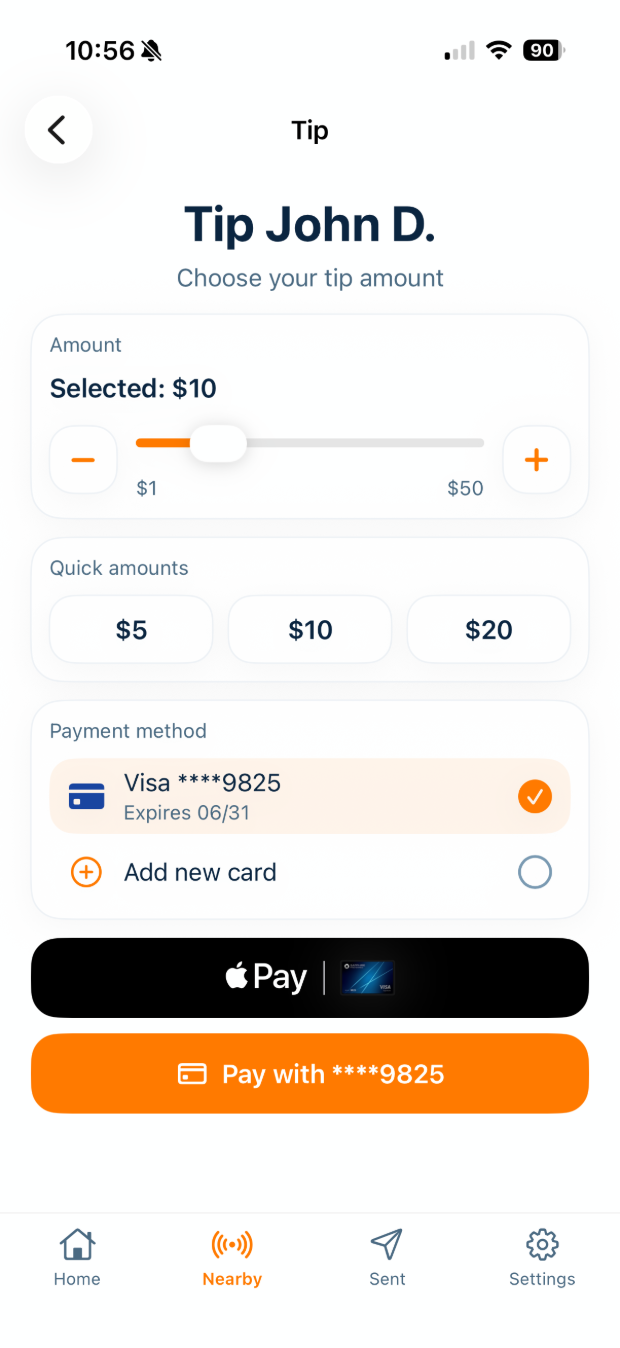
Choose an amount
Tap a preset or slide to any amount between $1 and $50. Pay with Apple Pay, Google Pay, or a saved card.
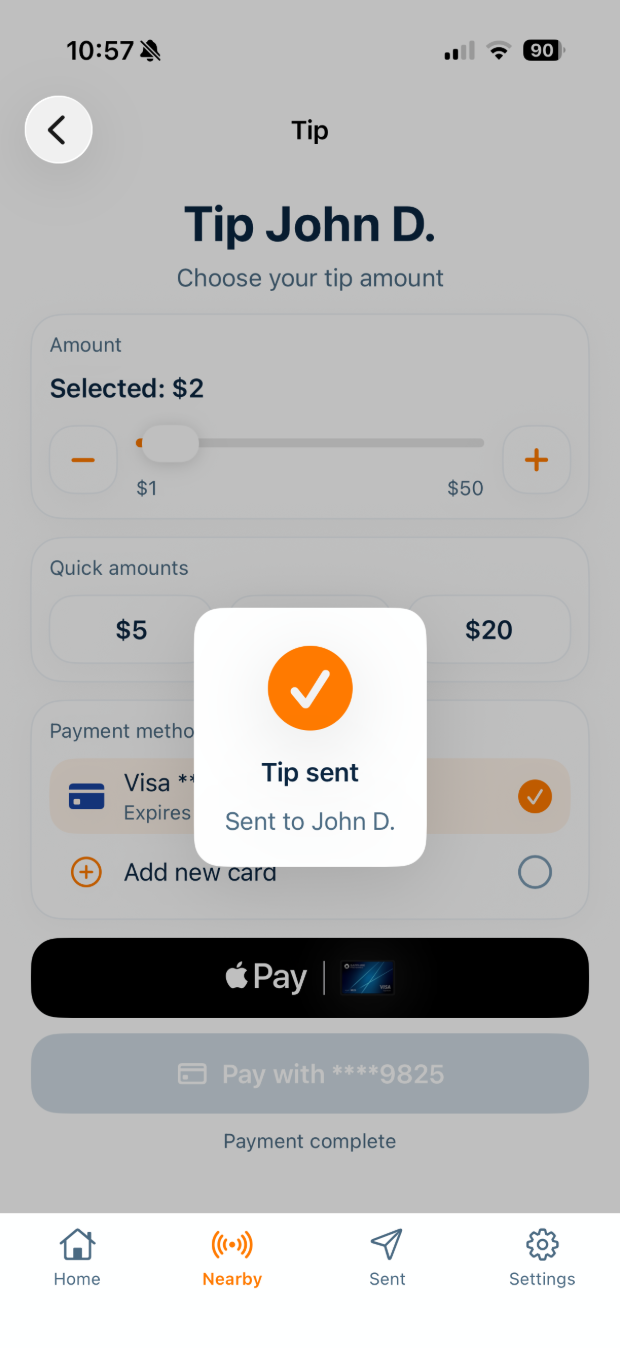
Sent
They're notified the moment it lands. You get an email receipt for every tip, and the balance shows up in their payout account.
Built around the moment, not the transaction.
Tipping happens in about four seconds of eye contact. Everything below exists to fit inside that window.
Proximity, not search
A worker toggles visibility once. Their phone broadcasts over BLE, and they surface in the app of anyone standing nearby. No handles to type, no code to point a camera at — a QR fallback is there for the rare room where Bluetooth won't reach.
Fees, split and stated
Moving money costs something, and QuickTip splits that cost rather than pushing it onto one side. The customer covers part at checkout, the worker covers part on the payout. Both shares are shown in the app before anything is confirmed.
A record on both sides
Every tip produces an email receipt for the sender and a line item for the worker — status, amount, date. Nothing about a digital tip should be less traceable than a bill in a hand.
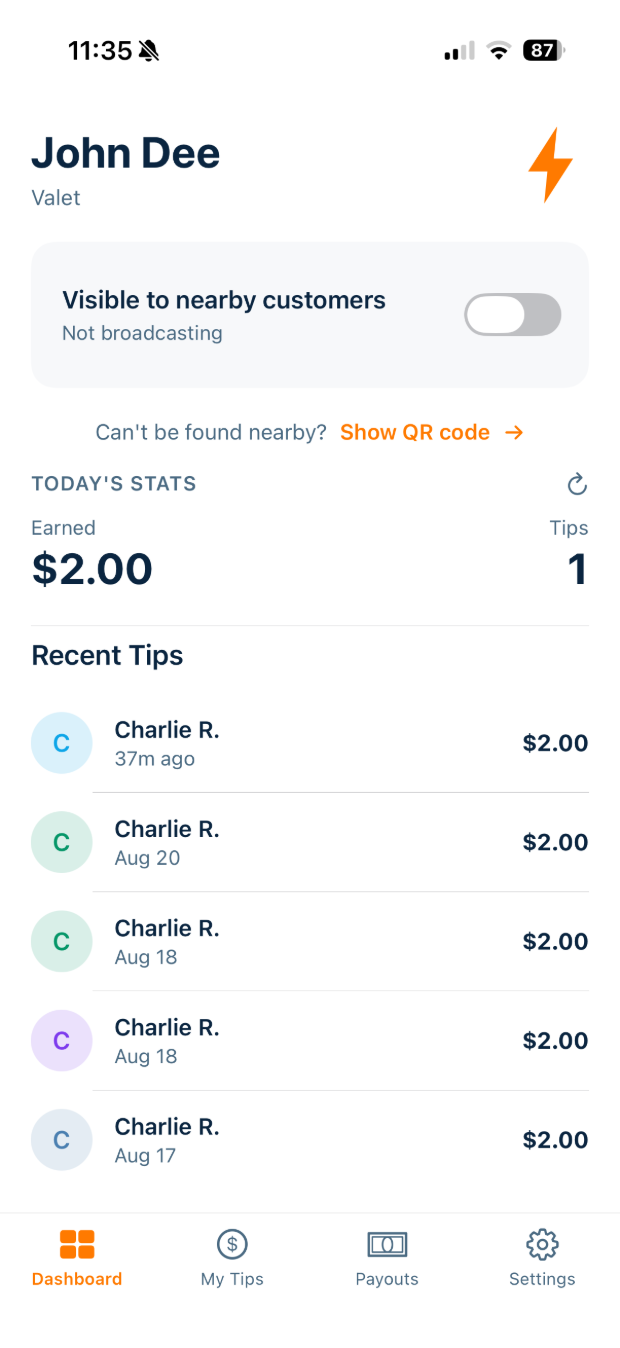
One toggle. Then put the phone away.
Visibility is a single switch on the worker home screen. Flip it on at the start of a shift and you show up to every guest who opens QuickTip nearby — phone in your pocket, hands free.
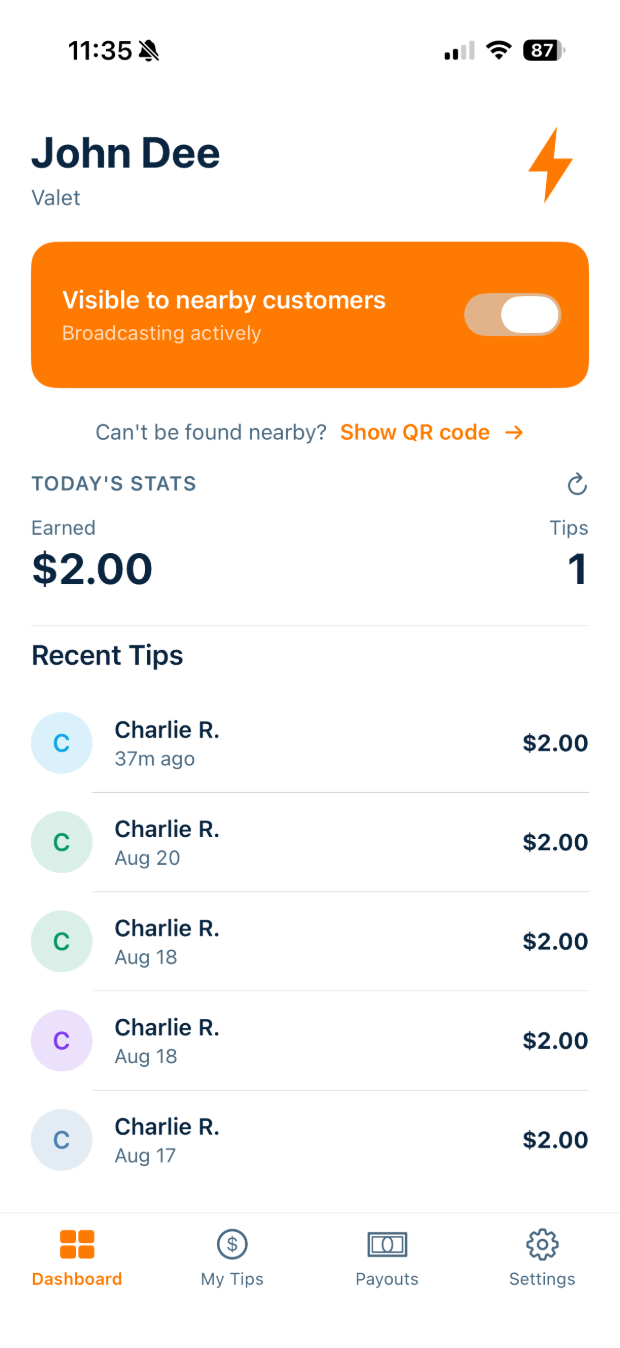
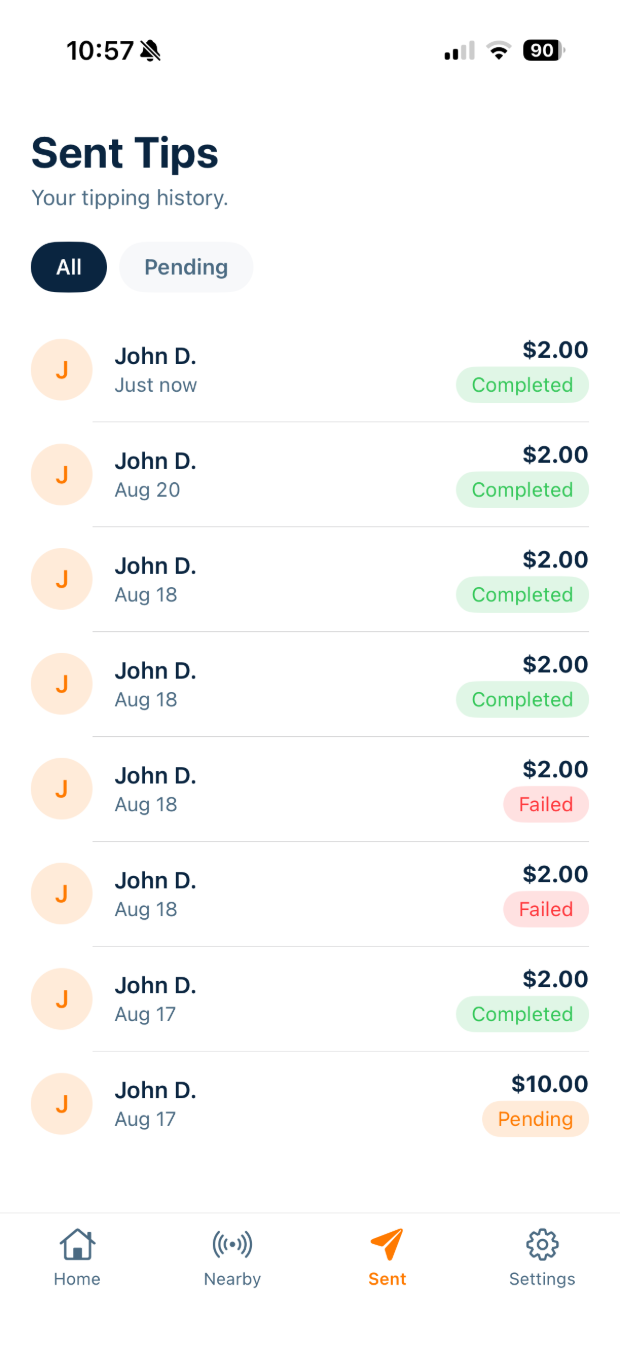
Every tip keeps a paper trail.
Sent tips live in their own tab with amount, date, and status — completed, pending, or failed. Filter to pending when something is still in flight. Nothing disappears into a feed.
Money moves on licensed rails.
Handled by Square
Card, Apple Pay, and Google Pay payments are processed by Square on PCI DSS-compliant infrastructure.
No card data on our side
Full card numbers, CVVs, and bank account numbers are never stored on QuickTip servers.
Nothing retained
BLE data is used for real-time, on-device proximity detection only. Signal data is not collected or kept after the interaction.
Delete on request
Accounts and personal data can be deleted from Settings or by email, subject to records we're required to retain.
Watch it happen in real time.
Questions,
answered plainly.
QuickTip is coming back.
Both apps are being rebuilt for iOS and Android. Leave your email and we'll tell you the day they're live — free for customers, free to set up for workers.